Where Does Your Money Go? How to Read Your Bank Statement and Finally Find Out
You earn enough. So why are you short again?
You got paid. You covered rent, groceries, the usual bills. You didn’t buy anything crazy. And somehow, at the end of the month, the account is almost empty again.
If that sounds familiar: the money didn’t vanish. It went somewhere specific. You just never saw the map. Your bank shows you a list of transactions — dates, merchant codes, amounts. It never shows you the one thing you actually need: what those transactions add up to.
This guide shows you how to read your own bank statement and finally answer the question: where does my money go?
Why your banking app isn’t helping
Open your banking app right now. You’ll see something like: STRIPE *XQ4F2 — €12.99. Useful? Not really. You know money left. You don’t know it was a subscription you forgot about 8 months ago.
A bank statement is a list. A list is not an answer. To get an answer, you have to turn that list into three things:
- Recurring charges — what hits your account every month, automatically
- Spending patterns — which categories quietly take the biggest share
- Your expensive months — and what actually caused the spike
That’s the difference between data and understanding. Let’s get the understanding.
Step 1: Pull 3 months of statements, not one
One month is a snapshot. Three months is a pattern. And go for at least 3 — some subscriptions bill quarterly, and a single month would miss them entirely.
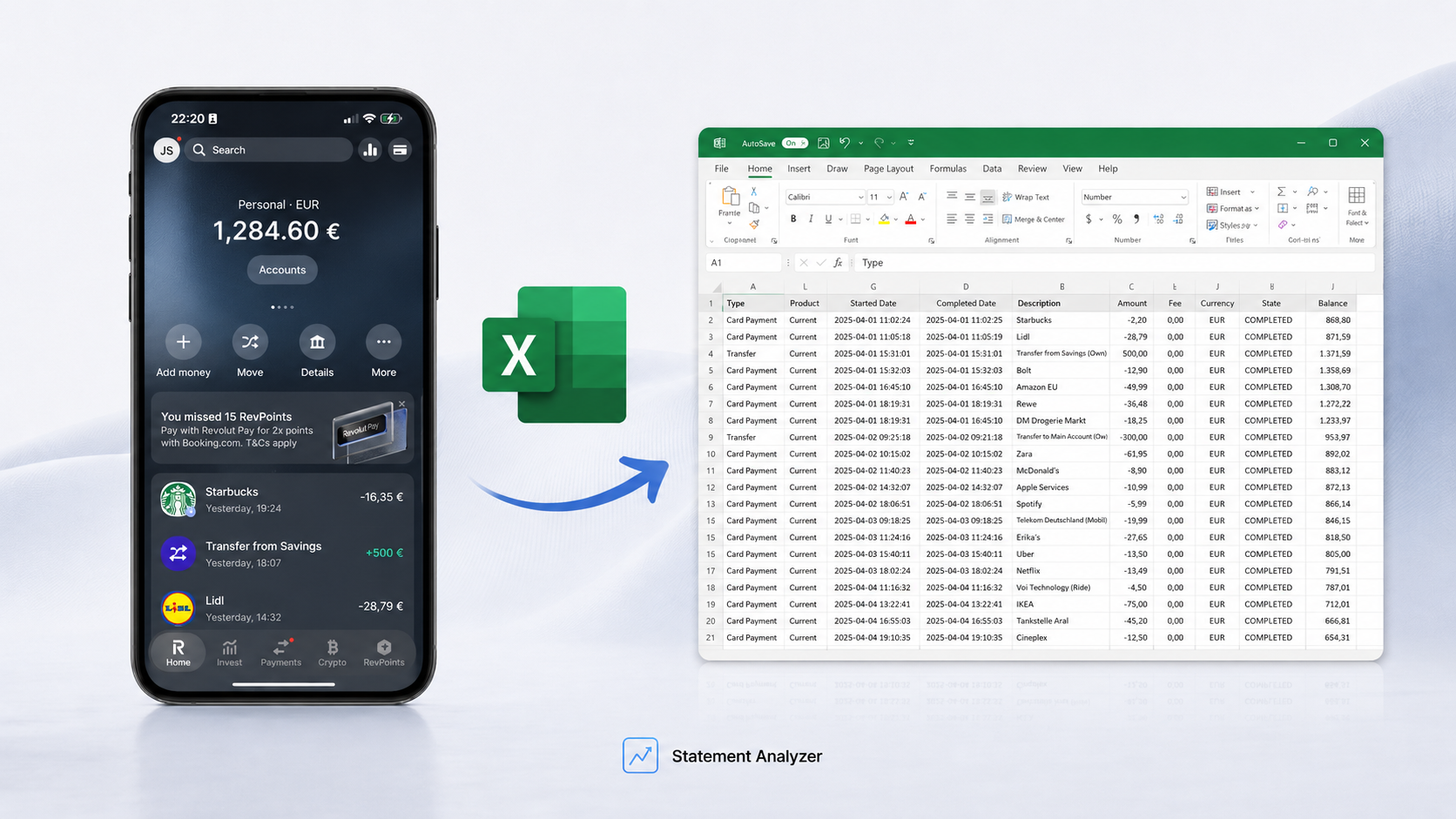
Download them as PDF or CSV from your bank. You don’t need anything fancy yet — just get the files in front of you.
Using Revolut? Here’s how to export your Revolut statement to Excel in 30 seconds.
Step 2: Find every recurring charge
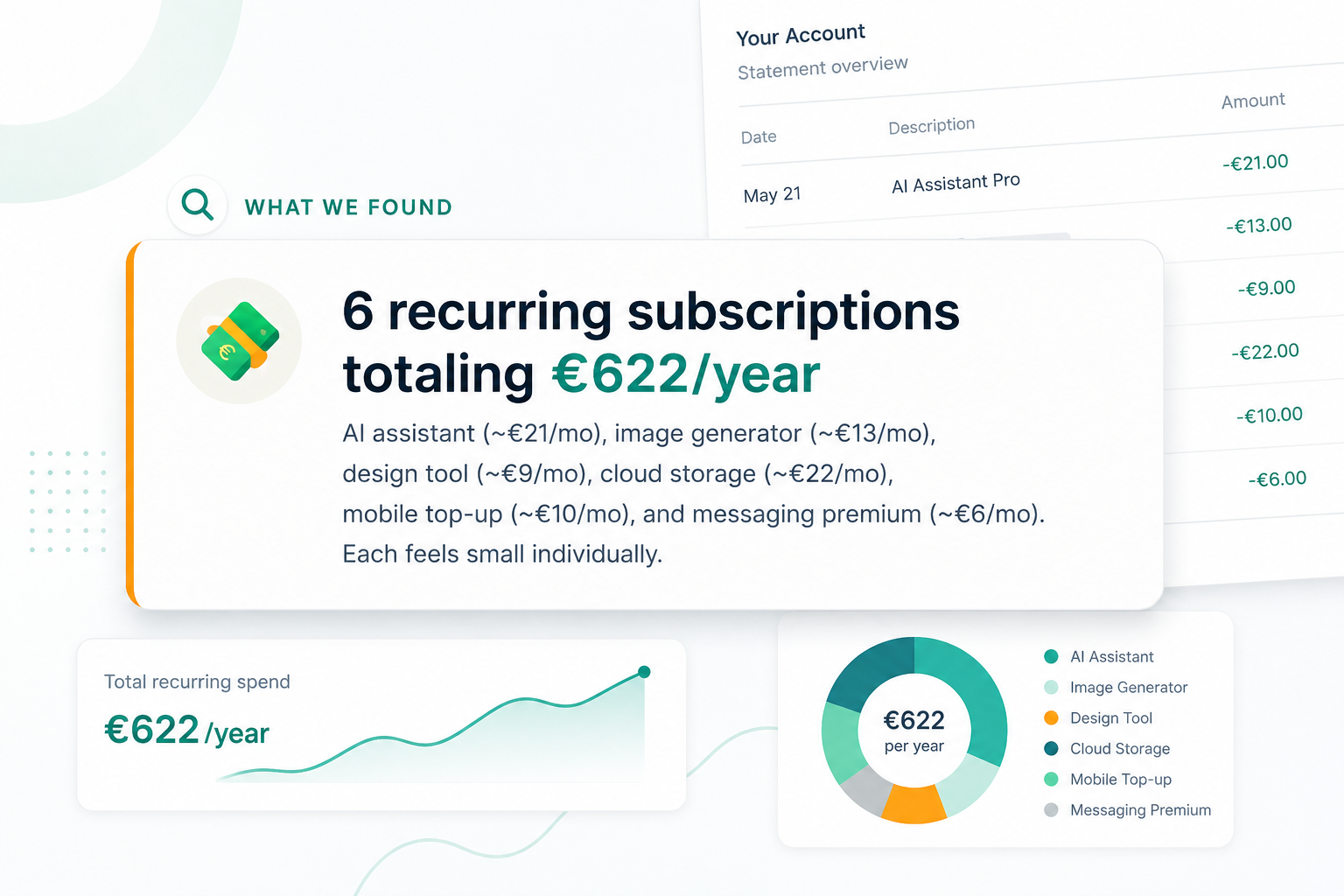
This is where most of the hidden money lives. Go through your statements and mark anything that appears more than once for the same amount from the same merchant.
According to C+R Research, people estimate they spend about $86 a month on subscriptions. Their actual itemized total: $219 — more than 2.5 times higher. And 42% admit they’ve kept paying for a subscription they already stopped using. Nearly three-quarters say recurring charges are simply easy to forget.
That’s the trap. The charges you forgot are the ones still taking your money — streaming you stopped watching, a trial that converted, an app from a job you left.
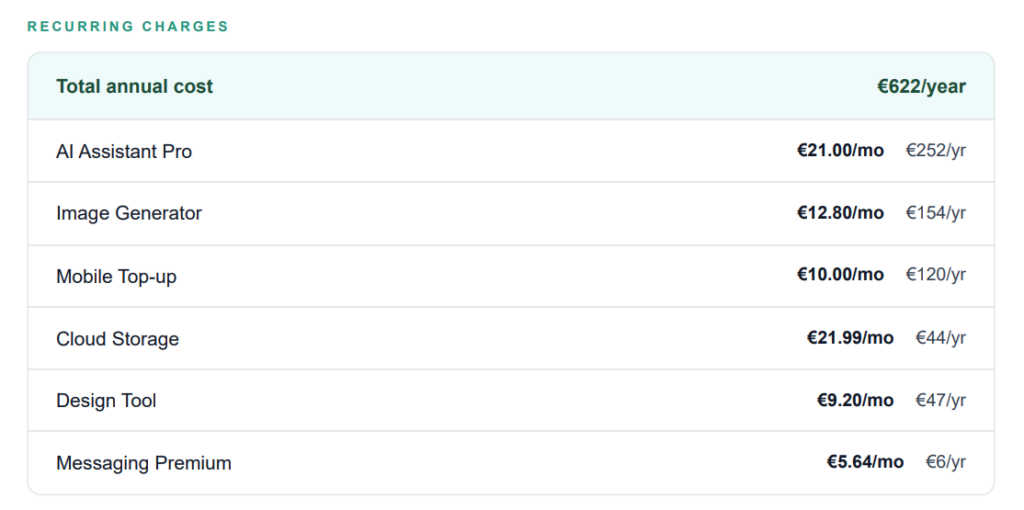
Action: make a list. Next to each one, write the yearly cost (monthly × 12). A “tiny” €9.99 charge is €120 a year. Seeing the annual number is what makes you finally cancel.
Step 3: Group the rest into patterns
Everything that isn’t recurring — group it. Rough categories are fine: food, transport, eating out, shopping, fun.
You’re not building a budget. You’re looking for the one category that’s bigger than you expected. There’s almost always one. For most people it’s food delivery or eating out — lots of small charges that never feel like a decision, but add up to hundreds.
Don’t argue with yourself about whether the spending was justified. Just see the number. The number does the work. You can’t fix a leak you can’t see.
Step 4: Find your most expensive month — and why
Compare the three months. One is higher. Ask the honest question: was it a one-off (a trip, a gift, a repair) or a pattern (your normal spending is just creeping up)?
A one-off is fine. A pattern is the thing to catch early — before it becomes your new normal.
Compare yourself to yourself, not to anyone else. The only useful benchmark is you, last month. That’s how real progress gets measured.
The honest problem with doing this by hand
Everything above works. People do it with a highlighter and a coffee. But here’s the truth: it takes a couple of hours, it’s easy to miss a charge, and most people start it once, get distracted on page two, and never finish.
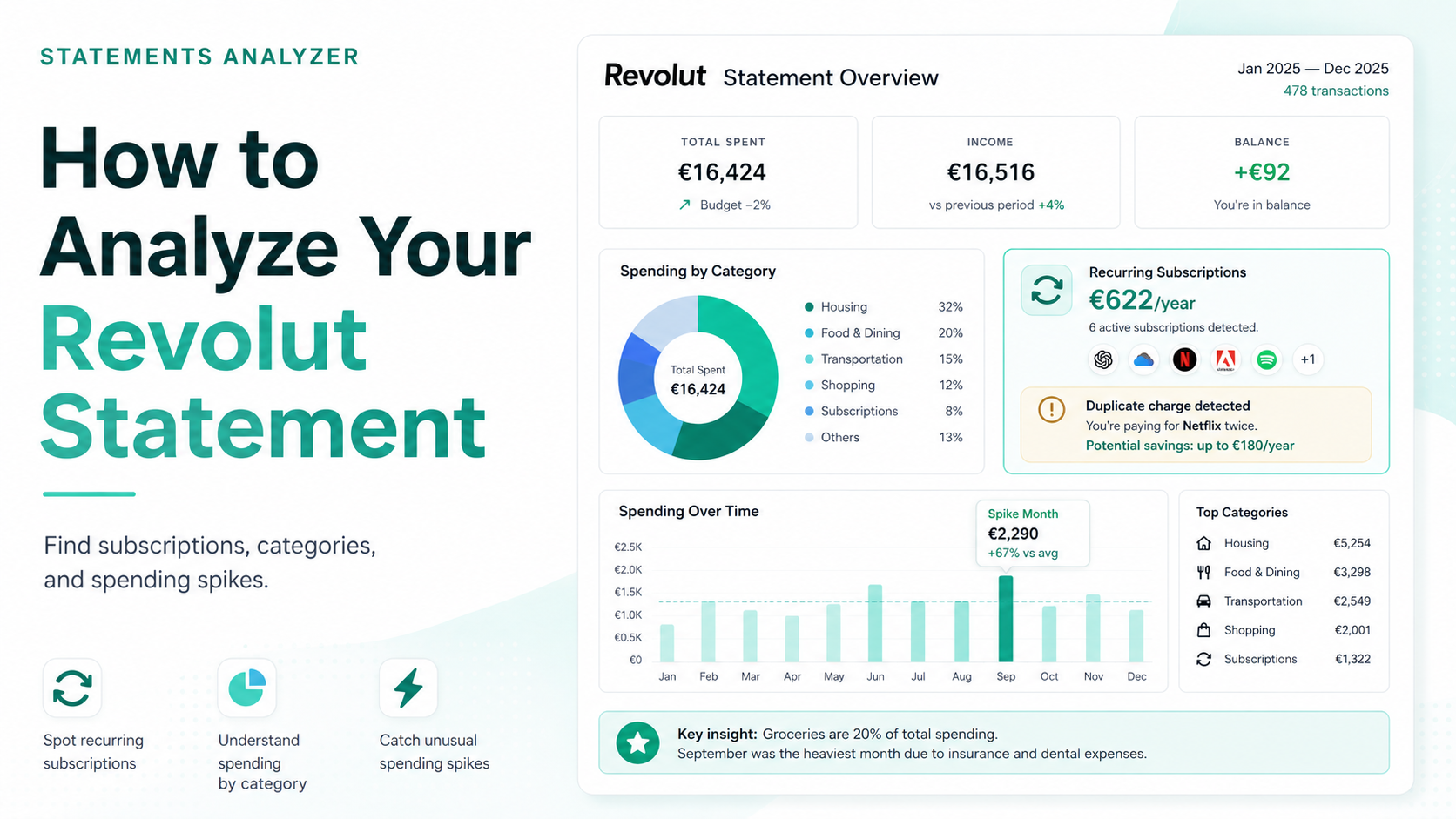
That’s the gap Statements Analyzer closes. You upload your statement (PDF, CSV or Excel) and get a clear report back: every recurring charge with its real annual cost, your spending patterns, your most expensive month and what drove it.
- No bank login. You upload a file. We never connect to your bank account — unlike most spending apps.
- Your file is deleted after the report is made. We don’t store it.
- One-time, €9.99. No subscription. (A little ironic to charge a subscription for a tool that finds your subscriptions.)
→ Analyze my statement — €9.99

Start with one statement
You don’t need a new budgeting system or an app that tracks every coffee forever. You need to see your money clearly once — that’s usually enough to spot the leaks and fix them.
Pull last month’s statement. Read it properly. Or upload it and let the report do the reading for you.
→ See where your money goes — €9.99
Frequently Asked Questions
Pull at least 3 months of bank statements, mark every recurring charge (anything that repeats for the same amount), then group the rest into rough categories like food, transport, and shopping. You’re looking for the one category that’s bigger than you expected. You can do this by hand, or upload your statement to Statements Analyzer for a report.
Usually it’s not one big expense — it’s small recurring charges and untracked categories that add up. Forgotten subscriptions, food delivery, and daily purchases rarely feel like decisions, but combined they can take hundreds a month. Seeing them listed together is what makes the pattern obvious.
With Statements Analyzer, yes — there’s no bank login required. You upload a file, and it’s deleted after the report is generated. We never connect to your bank account, unlike most spending apps that need ongoing access.
PDF, CSV, or Excel — whatever your bank lets you download. You don’t need to convert or clean anything first.
Statements Analyzer is a one-time €9.99 — no subscription. You pay once, get your report, and that’s it.